Digital Notice Board with Read Tracking
Replace your physical notice board with a real-time digital system that tracks every read, requires acknowledgement for critical safety updates, and gives you auditable proof of crew awareness.
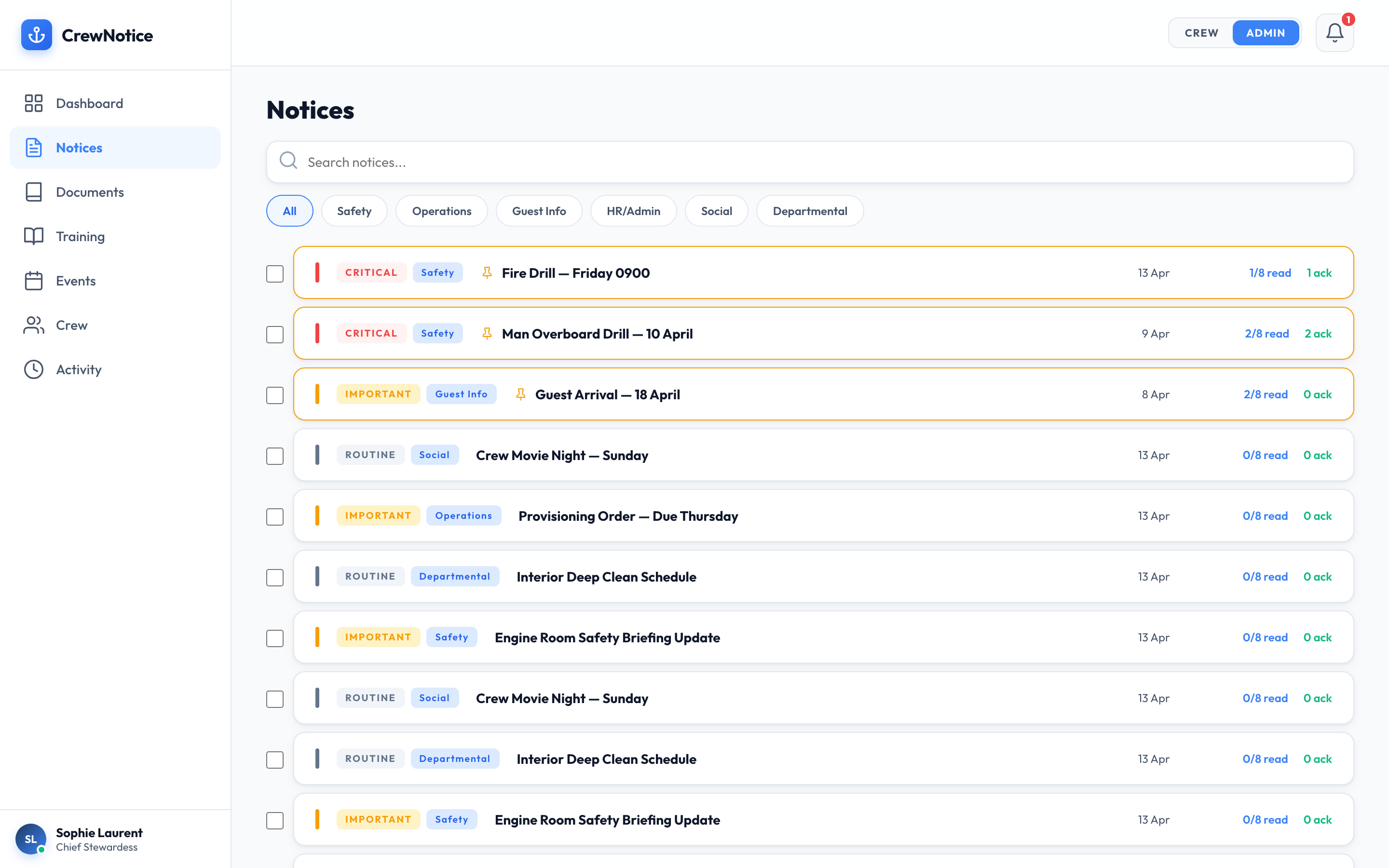
On a working superyacht, the notice board is where critical operational information lives — guest movements, safety updates, schedule changes, restricted areas. But physical notice boards have a fundamental flaw: there is no way to know who has actually read what. When a flag state inspector asks for proof that crew were informed of a safety procedure change, a paper sign-off sheet that went missing is not acceptable evidence.
CrewNotice replaces the physical notice board with a real-time digital system. Every notice is delivered as a push notification to every crew member's phone. Every read is timestamped. Critical safety notices require explicit acknowledgement. And captains can generate exportable compliance reports in seconds — not hours.
Priority Levels That Actually Mean Something
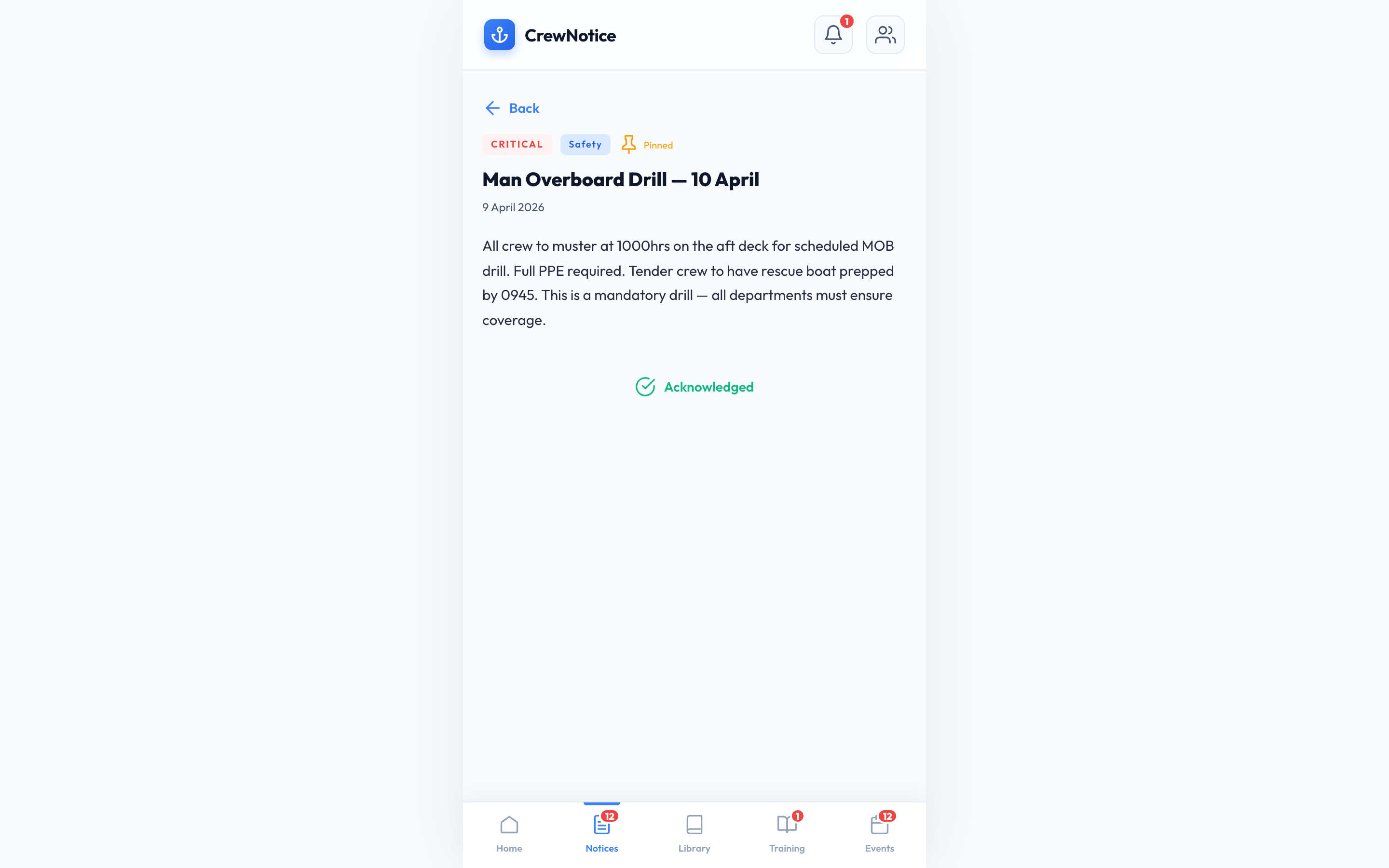
Three priority levels — Critical, Important, and Routine — with colour-coded indicators that crew see at a glance. Critical notices appear in red and require explicit acknowledgement. Important notices are highlighted in amber. Routine notices use standard formatting. No more burying a safety update next to the crew BBQ announcement.
- Visual hierarchy crew can scan in seconds
- Critical notices cannot be dismissed without acknowledgement
- Send reminders to non-readers with one tap
Read Receipts and Acknowledgement Tracking
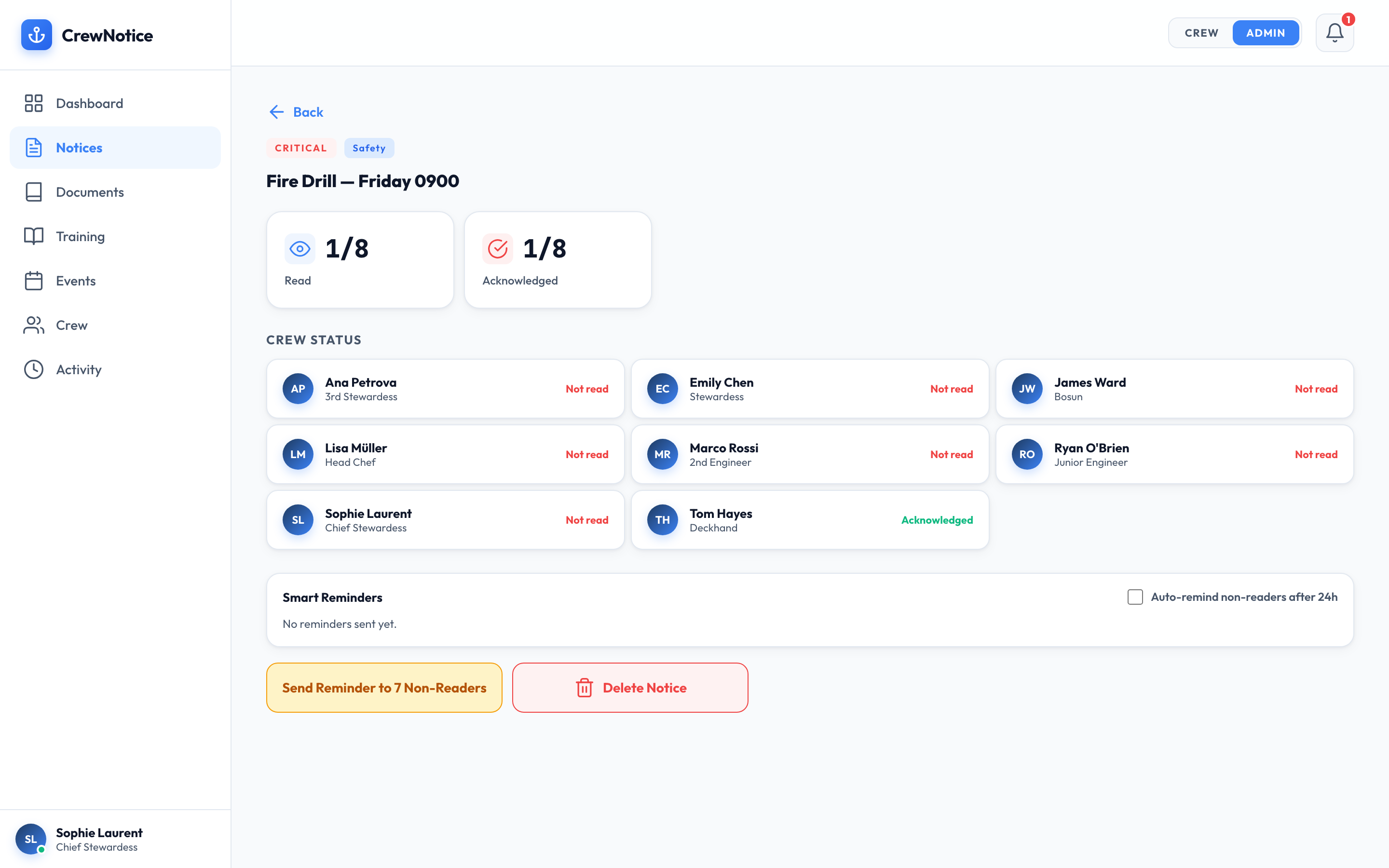
When you post a notice, you can see exactly which crew have read it and when. For critical safety notices, crew must explicitly tap “I have read and understood” — creating a timestamped acknowledgement record that satisfies ISM Code Element 6 requirements. No more wondering whether your message landed.
- See read status per crew member with timestamps
- Acknowledgement records exportable for audits
- Send targeted reminders to specific crew
Department Targeting and Smart Categorisation
Post notices to the entire crew or target specific departments. Categorise by Safety, Operations, Guest Info, HR, Social, or Departmental — crew can filter the notice board by category to find what's relevant. Pin notices to keep ongoing important items at the top. Schedule notices for future posting. Set expiry dates so old notices auto-archive.
- Six built-in categories with custom colour coding
- Pin critical notices to the top
- Schedule notices in advance
- Set expiry dates for time-sensitive information
It's 1500 on a Friday in Antibes. Guests arrive Sunday at 1400. The captain posts a guest arrival notice with priority “Important” and category “Guest Info” — guest count, ETA, special requirements, dietary notes restricted to galley crew. Push notifications go to all 14 crew immediately.
By 1700, 11 crew have read it. The captain sees the dashboard, sees three crew haven't read it (two on shore leave, one off-watch sleeping). At 1900 he sends a reminder. By 2000, all crew have read and acknowledged.
Sunday's arrival runs flawlessly. No verbal briefings, no missed information, no chasing. And the read receipt record sits in the audit log, available for the next ISM inspection.
Everything you need to run a professional notice board
Push Notifications
Instant delivery to every crew member’s phone, on or off watch.
Search
Find any notice by title, content, or category in seconds.
Pinned Notices
Keep critical ongoing information at the top of the list.
Polls
Gather quick crew feedback directly inside a notice.
Edit & Withdraw
Update live notices or withdraw them. Crew are notified of changes.
Activity Log
Every action timestamped and recorded for full audit trail.
Built for ISM, MLC, and Flag State Compliance
Every notice read, every acknowledgement, every update is timestamped and stored in your audit log. When inspectors ask for evidence that crew were informed of safety procedures, you can export a complete report in seconds — not hours of digging through paper sign-off sheets.
Ready to replace your notice board?
Start your 30-day free trial. No credit card required. Live on your vessel in under 10 minutes.